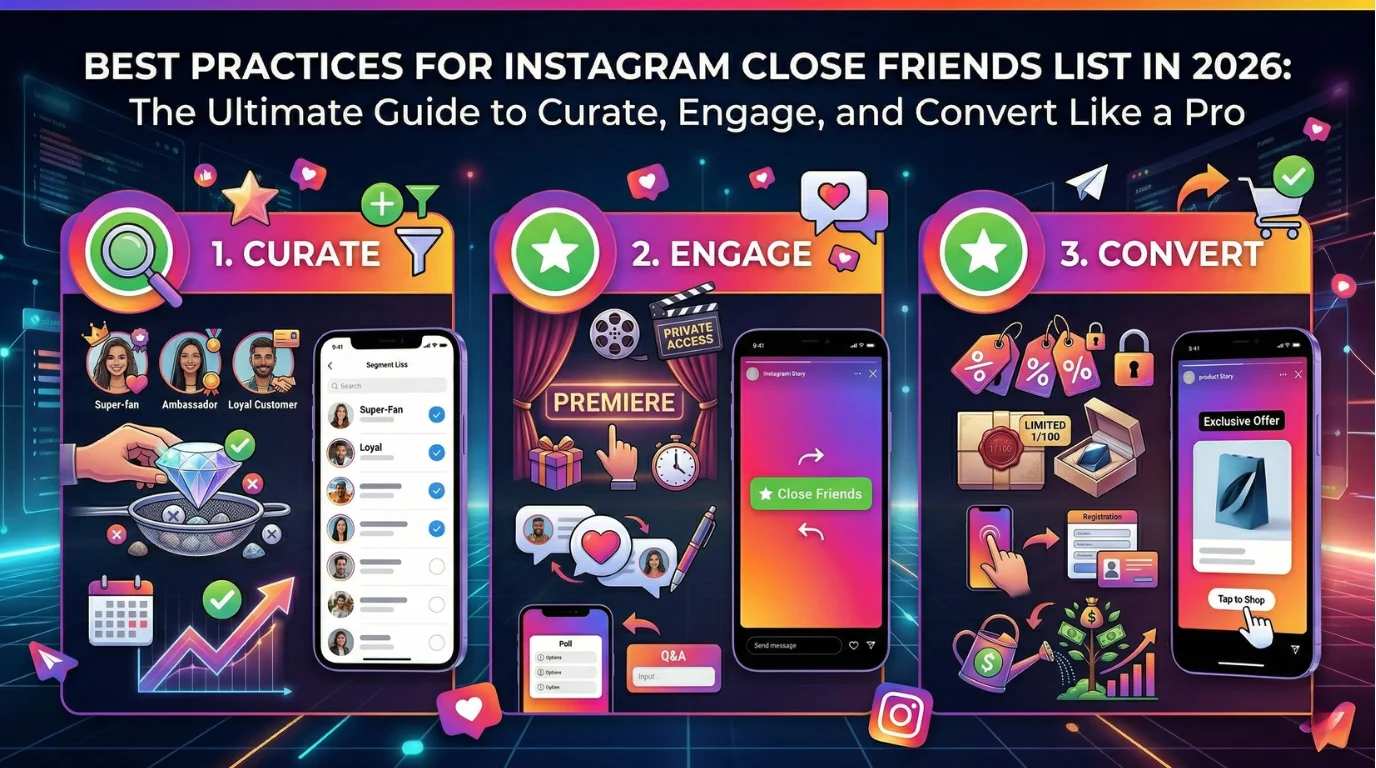
Instagram Close Friends isn’t just a privacy tool, it’s your secret weapon for creating an intimate, high-trust inner circle in a noisy feed. Launched in 2018 for Stories and now expanded to Reels, Notes, feed posts, and even Highlights, it lets you share unfiltered moments, early access, and premium value with a handpicked audience.
The green ring around your profile photo? It signals exclusivity and triggers powerful psychological responses: belonging, FOMO, and reciprocity. In 2026, Instagram’s algorithm rewards “closeness” signals (DMs, comments, repeated views), making Close Friends one of the smartest ways to strengthen relationships and surface your content to the people who matter most.
Whether you’re sharing personal updates, testing ideas with superfans, or turning loyal customers into brand advocates, the right Close Friends strategy delivers higher engagement, stronger loyalty, and measurable results, without alienating your wider audience.
How to Create and Manage Your Instagram Close Friends List (Updated 2026 Steps)
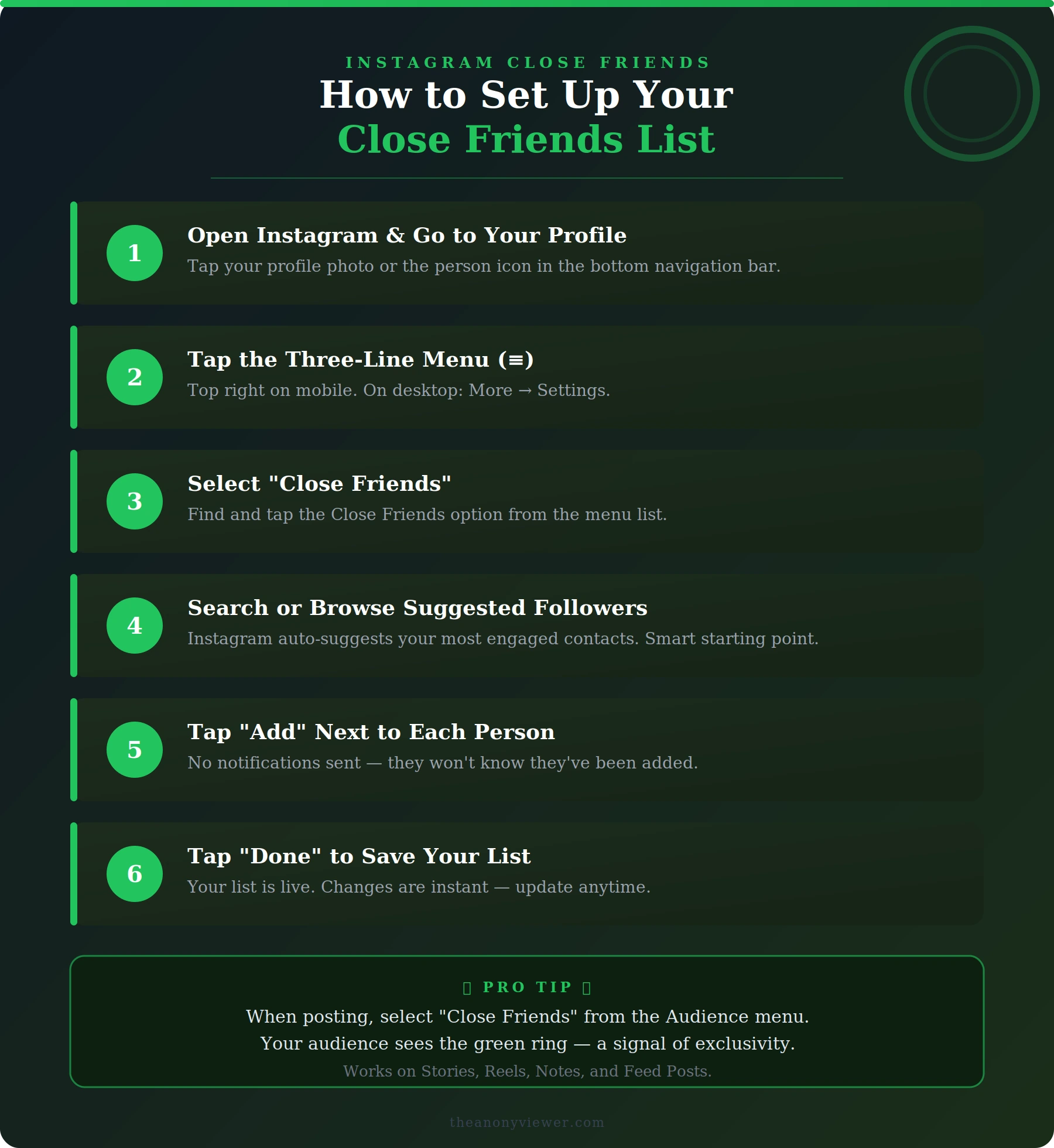
Setting up your list takes under two minutes and works identically on mobile and desktop.
- Open Instagram and go to your profile.
- Tap the three-line menu (top right on mobile; More → Settings on desktop).
- Select Close Friends.
- Search or scroll suggested followers (Instagram prioritizes your most engaged contacts).
- Tap Add next to each person.
- Tap Done to save.
Pro tip: No one gets notified when you add or remove them, perfect for discreet curation. Update the list anytime; changes are instant.
To share content exclusively:
- Create a Story, Reel, Note, or feed post.
- Tap Audience (or the Close Friends option at the bottom).
- Select Close Friends.
- Post. Viewers see the “Close Friends” label and green ring.
You can now save Close Friends Stories directly to Highlights that remain private to the list.
Curating the Perfect Close Friends List: Who to Add (and Who to Remove)
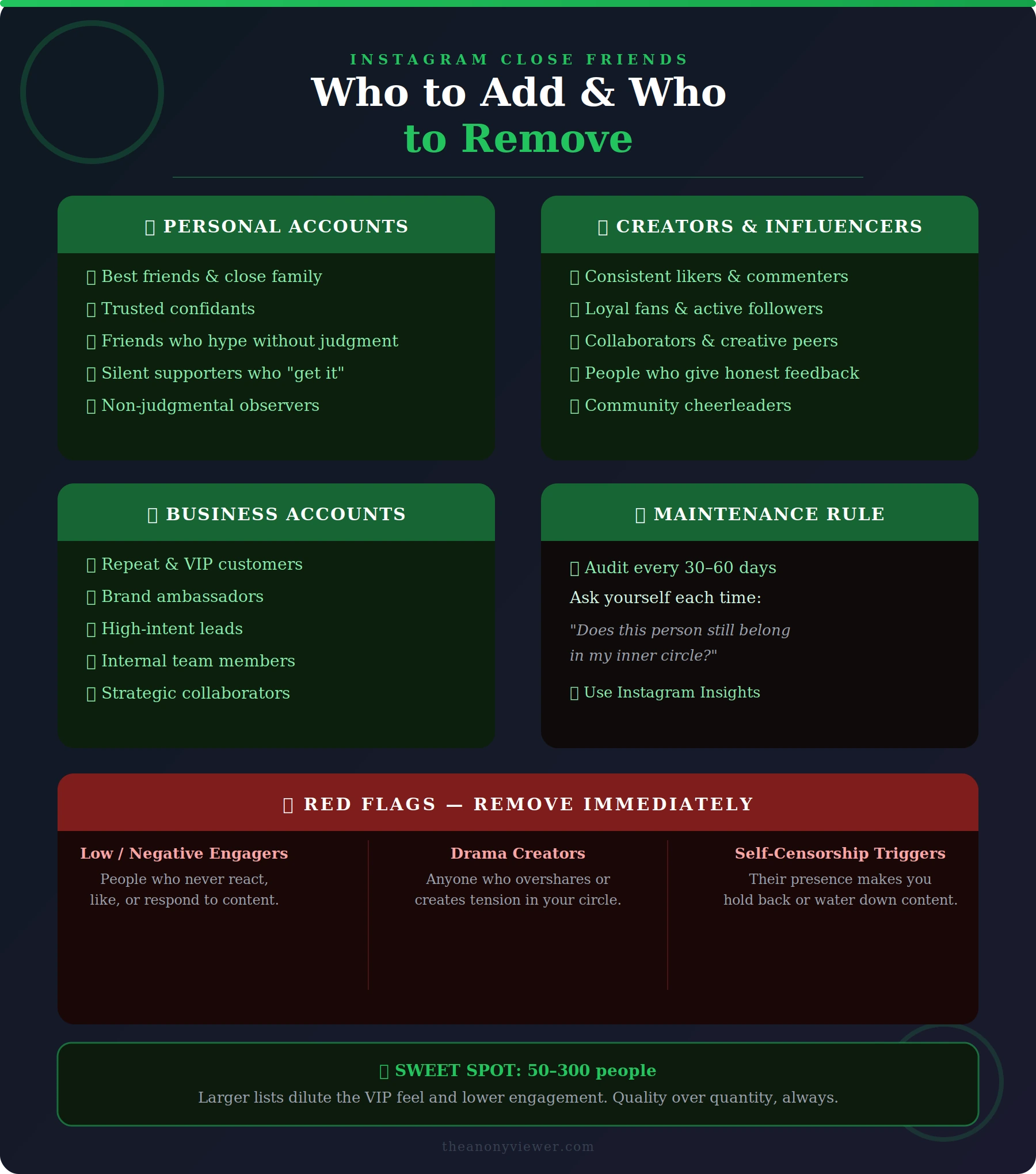
The magic isn’t in the size, it’s in the quality. Aim for 50–300 people max for true exclusivity (larger lists dilute the VIP feel and lower engagement).
For personal accounts:
- Ride-or-dies: Best friends, family, and trusted confidants who celebrate your wins and support your chaos.
- Chaos cheerleaders: Friends who hype without judgment or drama.
- Non-judgmental observers: Silent supporters who simply “get it.”
For creators and influencers:
- Top engagers: Consistent likers, commenters, and sharers.
- Loyal fans and collaborators who provide honest feedback.
For business accounts:
- Repeat customers and VIP clients.
- Brand ambassadors and high-intent leads.
- Internal team members for culture-building content.
Red flags, remove immediately:
- Low or negative engagers.
- People who create drama or overshare outside the list.
- Anyone whose presence makes you self-censor.
Maintenance best practice: Audit every 30–60 days. Ask: “Does this person still belong in my inner circle?” Use Instagram Insights to spot who actually views and reacts—data doesn’t lie.
10 Proven Best Practices for Instagram Close Friends Content in 2026
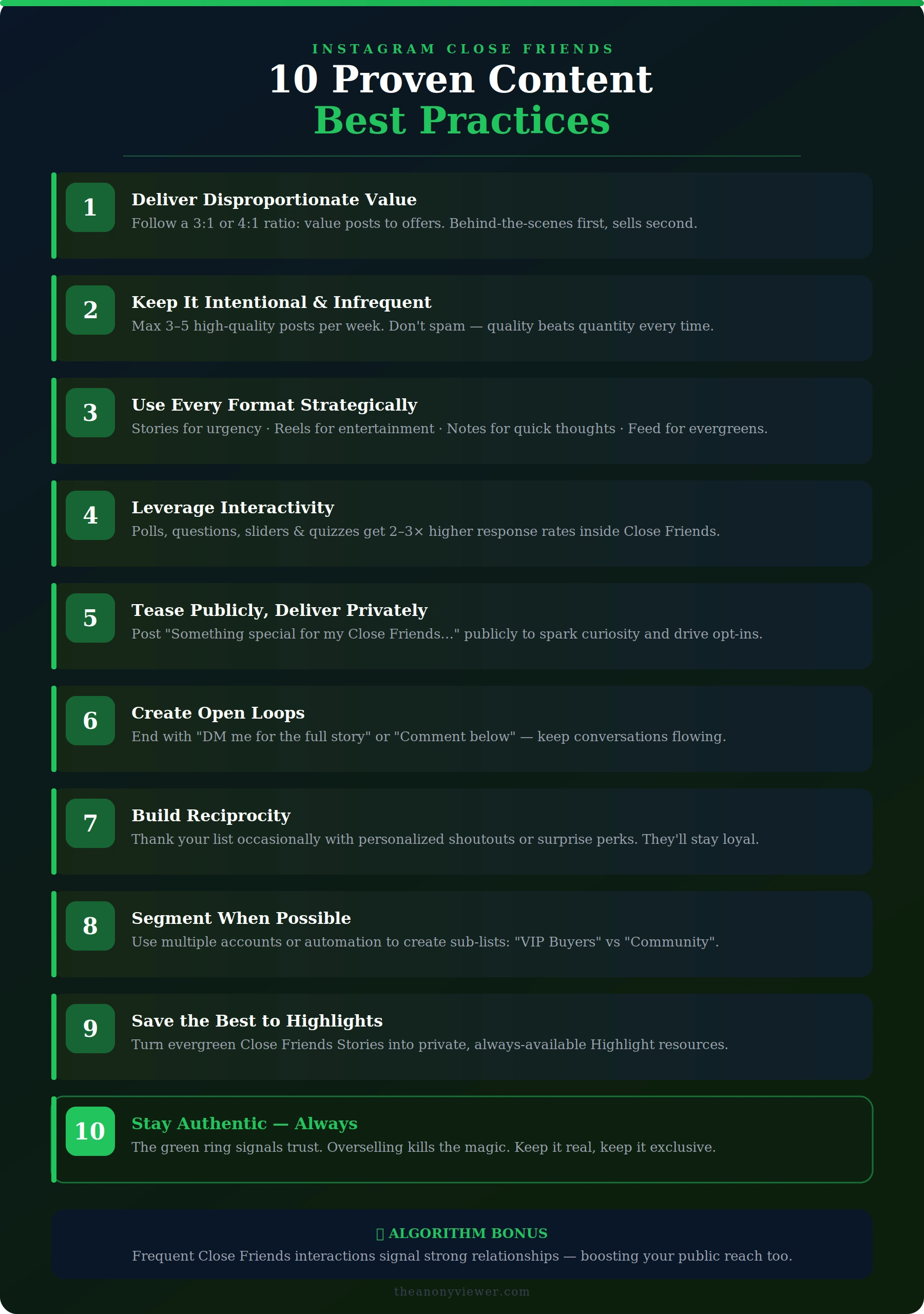
- Deliver disproportionate value - Follow a 3:1 or 4:1 ratio (value posts to offers). Share behind-the-scenes, early access, raw thoughts, mini vlogs, or micro-lessons first.
- Keep it intentional and infrequent - Don’t spam. 3–5 high-quality posts per week maximum. Quality beats quantity every time.
- Use every format strategically - Stories for urgency, Reels for entertainment, Notes for quick thoughts, feed posts for evergreen exclusives (green-bordered grid).
- Leverage interactivity - Polls, questions, sliders, and quizzes get 2–3x higher response rates in Close Friends.
- Tease publicly, deliver privately - Post “Something special dropping for my Close Friends…” Stories to spark curiosity and drive opt-ins.
- Create open loops - End content with “DM me for the full story” or “Comment your thoughts below” to spark conversations.
- Build reciprocity - Occasionally thank your list with personalized shoutouts or surprise perks.
- Segment when possible - Power users maintain multiple accounts or use tags/automation tools to create sub-lists (e.g., “VIP Buyers” vs “Community”).
- Save the best to Highlights - Turn evergreen Close Friends content into private, always-available resources.
- Stay authentic - The green ring signals trust. Overselling kills the magic.
Advanced Strategies: Turn Close Friends into a Growth Engine
For creators:
- Test new content ideas and gather real feedback before public launch.
- Host private AMAs or Q&As.
- Offer early content drops to build waiting lists.
For businesses & e-commerce:
- Run secret flash sales or member-only discounts.
- Share product launches with ambassadors first for organic buzz.
- Use as a VIP loyalty club, exclusive webinars, freebies, or consultations.
- Nurture high-intent leads with personalized updates.
Opt-in system (game-changer): Post a public Story: “Comment ‘FRIENDS’ for exclusive access to behind-the-scenes and early drops.” Automate tagging and addition via DM tools for qualified leads only.
Algorithm advantage: Frequent Close Friends interaction signals strong relationships, helping your public content reach more people.
Common Mistakes to Avoid
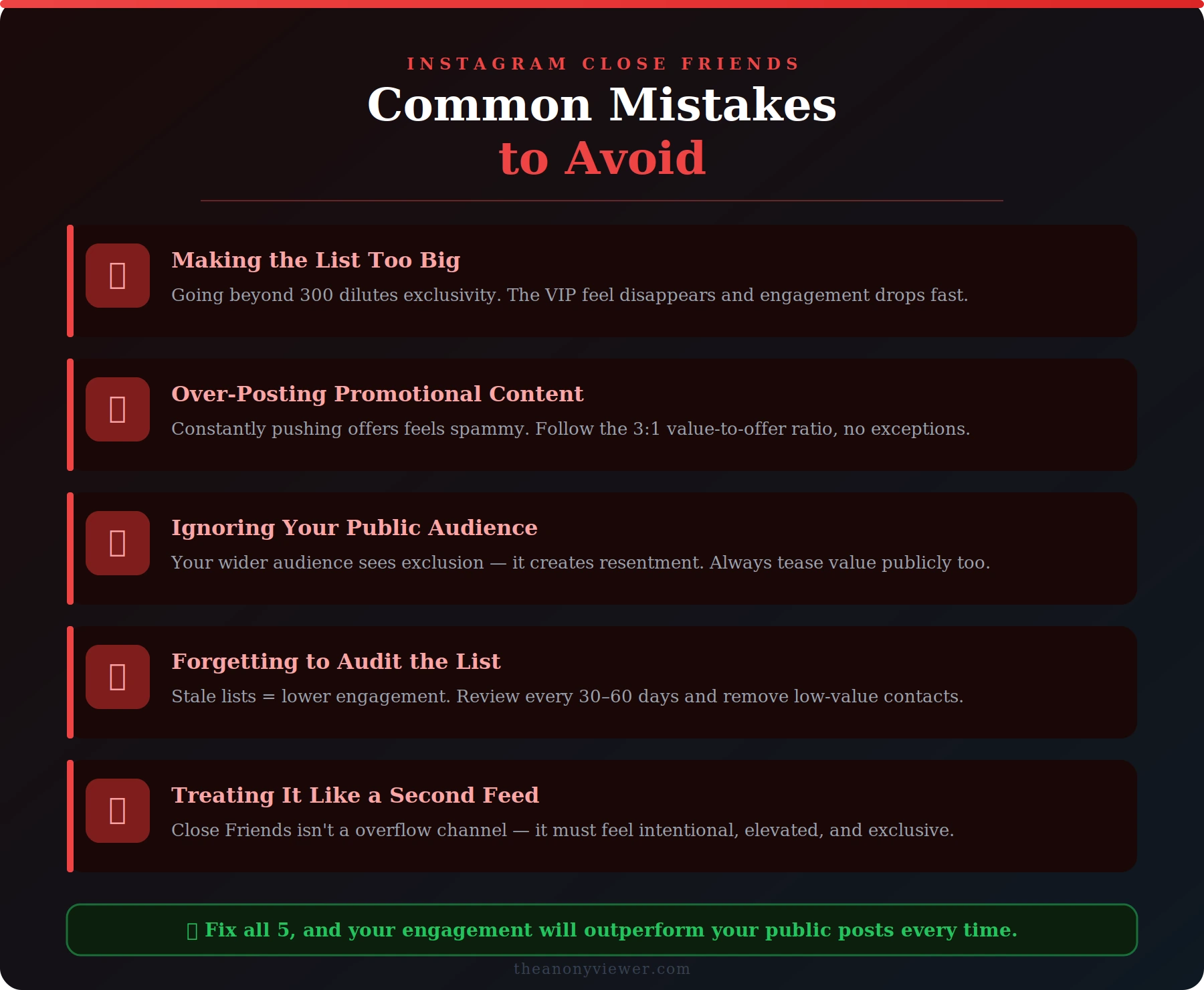
- Making the list too big → loses exclusivity.
- Over-posting promotional content → feels spammy.
- Ignoring public audience → creates resentment (always tease value).
- Forgetting to audit → stale lists = lower engagement.
- Treating it like a second feed → keep it special.
Measuring Success: What Actually Matters
Track these KPIs monthly:
- Story/Reel view rate from Close Friends vs public.
- Engagement rate (comments, DMs, saves).
- Conversion rate from exclusive offers.
- Retention, how many stay active and respond.
Tools like Instagram Insights plus third-party analytics show exactly who engages most.
Final Thoughts: Start Building Your Inner Circle Today
Your Close Friends list isn’t about gatekeeping, it’s about deepening the most valuable relationships on your platform. When used with intention, authenticity, and strategy, it transforms casual followers into raving fans, loyal customers, and lifelong supporters.
Action step: Open Instagram right now, review your current list, and make one intentional change, add three superfans or remove one low-value contact. Then post your first exclusive piece of value this week.
The green ring isn’t just a visual, it’s a promise of something better. Keep that promise, and watch your community (and results) thrive in 2026 and beyond.
Frequently Asked Questions
Have questions? We have answers.