If you've ever posted an Instagram Story and wondered whether it should live on your profile permanently, you're not alone. Instagram gives you two powerful but distinctly different tools for sharing content: Stories and Highlights. On the surface, they look similar, both are vertical, full-screen formats. But under the hood, they serve entirely different purposes, reach different audiences, and require different strategies.
Whether you're a content creator, a small business owner, or simply someone who uses Instagram regularly, understanding the difference between Stories and Highlights can help you make smarter decisions about your content. This guide covers everything you need to know, from technical differences to real-world use cases, so you can stop second-guessing and start posting with confidence.
And if you ever want to research how others are using Stories or Highlights without them knowing you viewed their content, The AnonyViewer lets you do exactly that, anonymously and for free.
What are Instagram Stories?
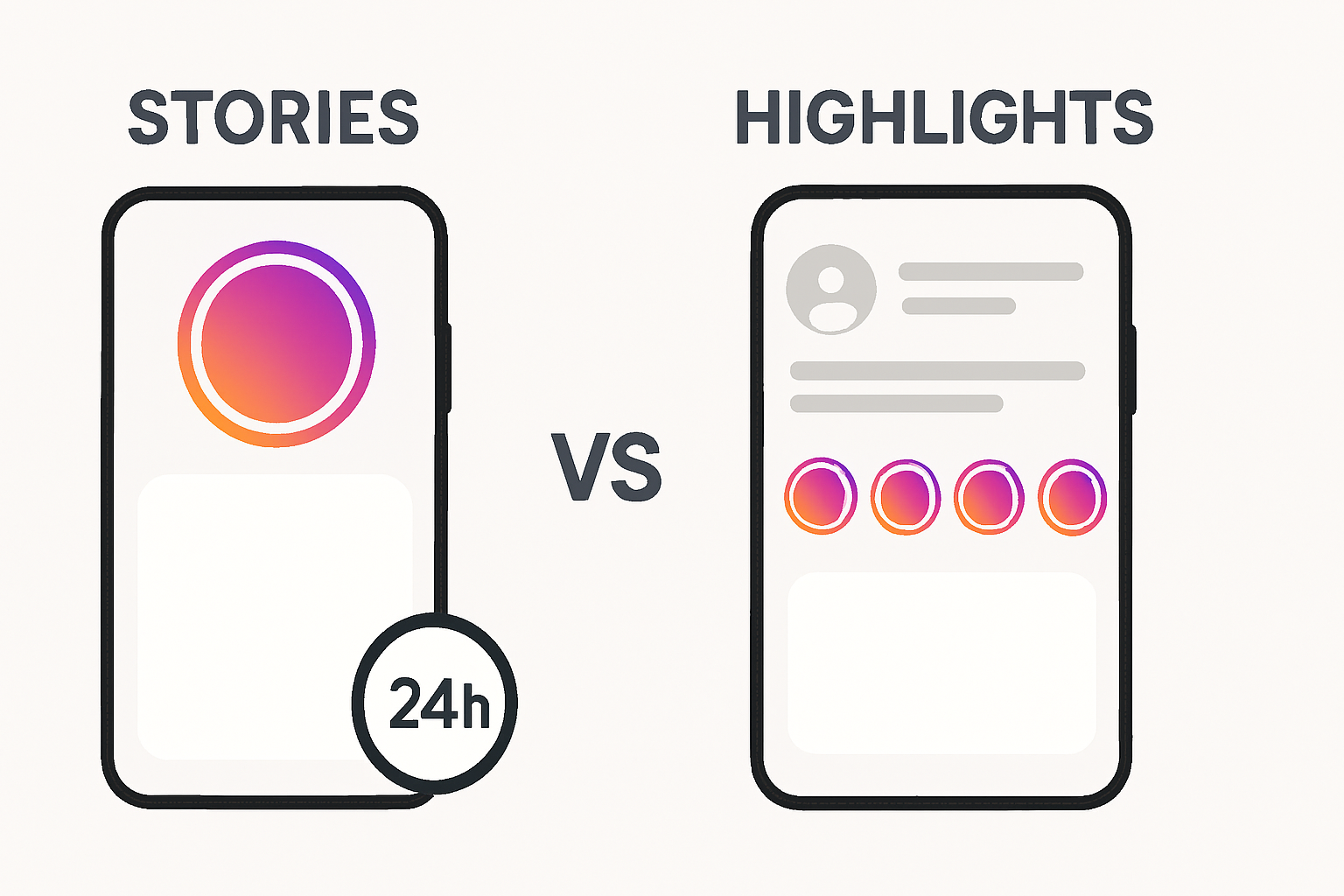
Instagram Stories are short-form, full-screen content pieces, photos or videos, that disappear automatically after 24 hours. Introduced in 2016, Stories were designed to capture real-time, in-the-moment content that doesn't need to live on your profile permanently.
Key characteristics of Stories:
- Visible for 24 hours only
- Appear at the top of the Instagram feed in a circular format
- Can include interactive elements like polls, questions, countdowns, sliders, and links
- Available to your followers (or the public, depending on your account settings)
- Show a viewer list while they're live, you can see exactly who watched
- Disappear automatically unless saved to your Archive or pinned as a Highlight
According to Meta's Business Help Center, Stories are one of Instagram's most-viewed surfaces, making them a high-visibility format for timely, engaging content.
What are Instagram Highlights?
Instagram Highlights are curated collections of past Stories that you choose to save permanently on your profile. They appear as circular icons just below your bio, visible to anyone who visits your profile, even after the original Story has expired.
Key characteristics of Highlights:
- Permanent, they stay on your profile until you manually delete them
- Created from Stories saved to your Archive
- Organized into named collections (e.g., "Travel," "Products," "FAQ")
- Visible to anyone who visits your profile, regardless of when the original Story was posted
- Can have custom cover images for branding
- Do not show a live viewer list after 48 hours (more on this below)
Think of Highlights as your profile's curated portfolio, a way to keep your best Stories working for you long after they expire.
Instagram Highlights vs. Stories: Side-by-Side Comparison

|
Features |
Stories |
Highlights |
|
Duration |
24 hours |
Permanent (until deleted) |
|
Location on profile |
Top of feed |
Below the bio |
|
Viewer list available |
Yes, for 24 hours |
Only within first 48 hours |
|
Interactive elements |
Yes (polls, Q&As, links, etc. ) |
No (static playback only) |
|
Discoverability |
Followers + Explore |
Profile visitors |
|
Best for |
Timely, real-time content |
Evergreen, curated content |
|
Editable after posting |
No |
Can add/remove content |
|
Custom covers |
No |
Yes |
Key Differences Explained in Detail
1. Duration and Permanence
This is the most fundamental difference. Stories vanish after 24 hours, that's by design. They're meant to create urgency and FOMO (fear of missing out). Highlights, on the other hand, are indefinite. They stay on your profile until you actively remove them.
This makes Stories ideal for flash sales, live event updates, "day-in-the-life" content, or anything time-sensitive. Highlights are better suited for content you want new profile visitors to always be able to find, like your brand story, testimonials, or product catalogs.
2. Viewer Analytics
When a Story is live, Instagram shows you a complete list of everyone who viewed it. This is valuable data for engagement tracking. However, once the Story expires (or after 48 hours if saved as a Highlight), that viewer data disappears from your view.
This is an important distinction: Highlights don't provide ongoing viewer analytics the way live Stories do. If you're trying to understand your audience's behavior, Stories give you richer, real-time data.
According to Sprout Social’s Instagram analytics research, engagement rates on stories tend to be higher for accounts that post consistently and use interactive stickers, data that highlights simply can’t replicate.
3. Interactivity
Stories support a wide range of interactive features: polls, question boxes, emoji sliders, link stickers, countdowns, and more. These features drive engagement and are only available in the live Story format. When a Story becomes a Highlight, it plays back as a static video or image, the interactive elements are visible but no longer functional.
If your goal is to collect feedback, drive clicks, or spark conversation, Stories are your tool. Highlights are a passive viewing experience by comparison.
4. Discoverability
Stories appear at the top of the feed for your followers. Public accounts can also have their Stories featured on the Explore page. Highlights, however, only appear on your profile page, they're not pushed into feeds. This means Highlights rely entirely on profile visits for views, while Stories can actively reach people in their daily scrolling.
5. Branding and Organization
Highlights give you something Stories don't: structure. You can group related content into named collections with custom cover images. This makes your profile look polished and professional. For businesses especially, a well-organized Highlights section can function like a mini-website, covering FAQs, product lines, customer reviews, and more.
When Should You Use Stories?
Use Stories when:
- You're sharing something time-sensitive (a limited-time sale, an event, a live update)
- You want to drive immediate engagement through interactive features
- You're showing behind-the-scenes, casual, or unpolished content
- You want to stay top-of-mind with your existing followers
- You're running a poll, Q&A, or gathering audience feedback
- You want to see a full viewer list while engagement is fresh
Stories work best when posted consistently. The Instagram algorithm tends to favor accounts that post Stories regularly, keeping them at the front of the Stories bar for their followers.
When Should You Use Highlights?
Use highlights when:
- You want new profile visitors to immediately understand who you are
- You're organizing evergreen content like FAQs, tutorials, or testimonials
- You want to showcase a product catalog or service menu
- You're building a brand and want your profile to look curated and intentional
- You want to repurpose your best-performing Stories for long-term visibility
A well-structured Highlights section can dramatically improve your profile conversion rate, and the percentage of visitors who choose to follow you or take action after visiting your profile.
If you want to see how top brands or competitors are structuring their Highlights without following them or revealing your identity, you can use the Instagram Highlights Viewer on TheAnonyViewer to browse their Highlights anonymously.
Can You Use Both Together? Yes, and You Should.
The smartest Instagram strategy uses both formats in tandem. Here's a simple framework:
1: Post a Story with timely, engaging content, use interactive stickers to maximize engagement.
2: After 24 hours, decide: is this content evergreen enough to keep on my profile? If yes, add it to a Highlight.
3: Periodically audit your Highlights to remove outdated content and refresh covers to match your current branding.
This approach means your Stories are always working to engage your active audience, while your Highlights are constantly welcoming new visitors with your best content.
Common Mistakes to Avoid
Adding everything to Highlights: Highlights are only valuable if they're curated. Dumping every Story into a Highlight defeats the purpose. Be selective, only include content that serves a clear purpose for a new visitor.
Ignoring Highlight covers: Unbranded Highlight covers make your profile look disorganized. Spend a few minutes creating consistent cover icons that match your brand colors and aesthetic.
Forgetting that Highlights don't drive discovery: Highlights don't push content into anyone's feed. If you're relying on them for reach, you're missing the point. Use Stories for reach; use Highlights for retention.
Never updating your Highlights: A Highlight from two years ago with outdated pricing or old branding can actively hurt your credibility. Audit your Highlights every few months.
What the Research Says
Research from Hootsuite's 2026 Social Media Trends Report found that Instagram Stories continue to be one of the highest-engagement formats on the platform, with users spending significant time in the Stories bar daily. Meanwhile, Highlights serve a different but complementary role, functioning as a discovery and credibility tool for new visitors.
A study published via HubSpot's Instagram Marketing data also found that brands with organized, updated Highlights sections had higher profile-to-follow conversion rates, reinforcing the idea that Highlights are primarily a profile optimization tool, not a reach tool.
Final Thoughts
Instagram Stories and Highlights are not competing features, they're complementary tools designed for different jobs. Stories keep your existing audience engaged with timely, interactive content. Highlights turn your profile into a curated experience for anyone who visits for the first time.
The best Instagram accounts use both intentionally: Stories for reach and real-time engagement, Highlights for branding and long-term visibility. Once you start thinking about them this way, your content strategy will feel a lot less like guesswork and a lot more like a plan.
If you're looking to research how others are using these features, whether for competitive research, inspiration, or personal reasons, TheAnonyViewer makes it easy to explore Stories and Highlights without leaving a trace.
Frequently Asked Questions
Have questions? We have answers.